


EV-30 Owner's Manual
A complete reference manual for the EV-30 industrial laser cutting machine.

LF-1530 Owner's Manual
A complete reference manual for the LF-1530 industrial laser cutting machine.

BLT4 Owner's Manual
The BLT4 series fiber laser cutting head comes with advanced intelligent technologies such as fast auto-focusing, collision protection, lenses and gas pressure monitoring.

BLT642H/BLT662H Owner's Manual
The BLT642H/BLT662H fiber laser cutting head comes with advanced intelligent technologies such as fast auto-focusing, collision protection, lenses and gas pressure monitoring, and supports smart piercing and process monitoring.

MAXPHOTONICS Fiber Laser Owner's Manual
The MAXPHOTONICS fiber lasers are developed to meet market demands of efficient, reliable and maintenance-free high power lasers.

CypCut CAD/CAM Family User's Manual
Bundled CAD/CAM software comes with the laser controller for fiber cutting. A complete software solution for creating, editing, laying out, setting technology, parts management, nesting and laser cutting.

EF-Hybrid Owner's Manual
A complete reference manual for the EF-Hybrid multi-function laser welding machine.

EzCad2/EzCad-Lite User's Manual
Bundled CAD/CAM software comes with the laser controller for fiber marking. A complete software solution for creating, editing, laying out, setting technology and laser marking.

EagleWorks User's Manual
Bundled CAD/CAM software comes with the customized EAGLECAM laser controller. A complete software solution for creating, editing, optimizing, and processing patterns for laser cutting and engraving.

EaglePrint User's Manual
A print driver software which help you use the laser as a printer. You can make a design in your favorite drawing software, e.g. CorelDRAW, Adobe Illustrator, AutoCAD, Adobe Photoshop, even Microsoft Word, and then "print" to the laser and get the job done.
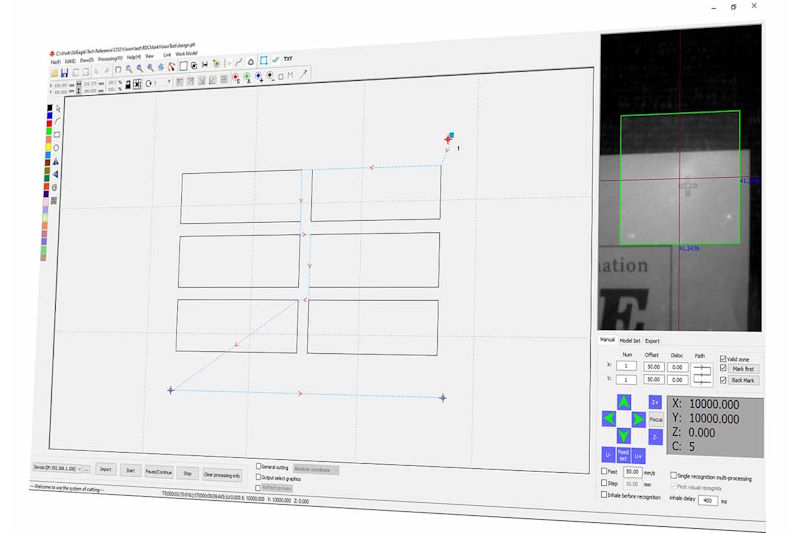
RDCMarkVision User's Manual
Bundled CAM software comes with the camera-automated laser controller. The software looks for the mark points on the work piece and find the accurate position of the pre-printed or pre-made artworks, then guide cutting.